Disable mouse animation (Use default system mouse)
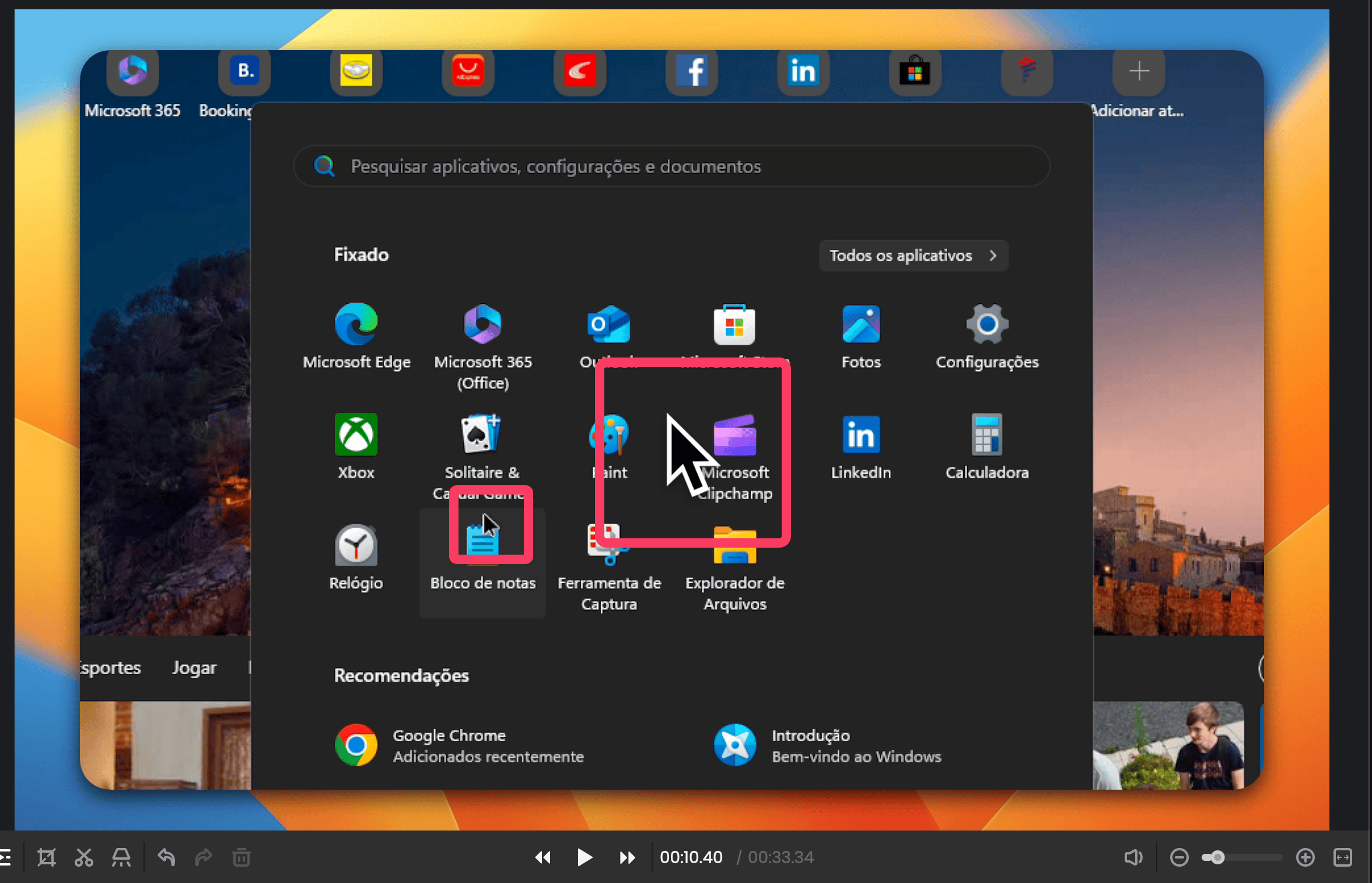
Would be nice to have an option to get rid of the mouse on screen, because i do a lot of recordings on VM machines, and i have to do it with the default quicktime because the macos mouse / animated mouse coexists with the VM mouse icon on Focusee's recordings:
Log in to comment and vote
Comments4
FocuSee Product Team
May 8, 2025
Thank you for your feedback. We will add this feature in a future update. What other features do you often use when editing?
Dr.-Ing. Manuel Ramsaier
May 15, 2025
Besides disabling the cursor recording completely please consider having an option to hide the cursor when inactive as well. Screen Studio has that now and its so good.
FocuSee Product Team
May 16, 2025
Dear FocuSee User,
Thank you for your feedback! We’ve received your suggestion about hiding the cursor when it’s inactive. We understand that this feature could be useful for many users, and our product team will evaluate it for future updates to improve the experience. We truly appreciate your input and welcome any additional suggestions you may have!
Best regards,
From Focusee Product Team
hjorte@gmail.com
Jan 2, 2025
Perhaps the same as these?
https://focusee.canny.io/feature-requests/p/ability-to-turn-off-mouse-cursor-visibility
https://focusee.canny.io/feature-requests/p/toggle-mouse-cursor-visibility-during-video-playback
https://focusee.canny.io/feature-requests/p/remove-cursor