Useful app, but needs essential UI improvements
I appreciate the idea and functionality of Focusee, but several important usability issues need attention:
Timeline Navigation Bug Lately, every time I open the app, the timeline navigation bar (arrows to move left/right) disappears when I zoom in. This makes video editing difficult, especially when the spotlight line and marker vanishes from the timeline and I can’t scroll to locate it again.
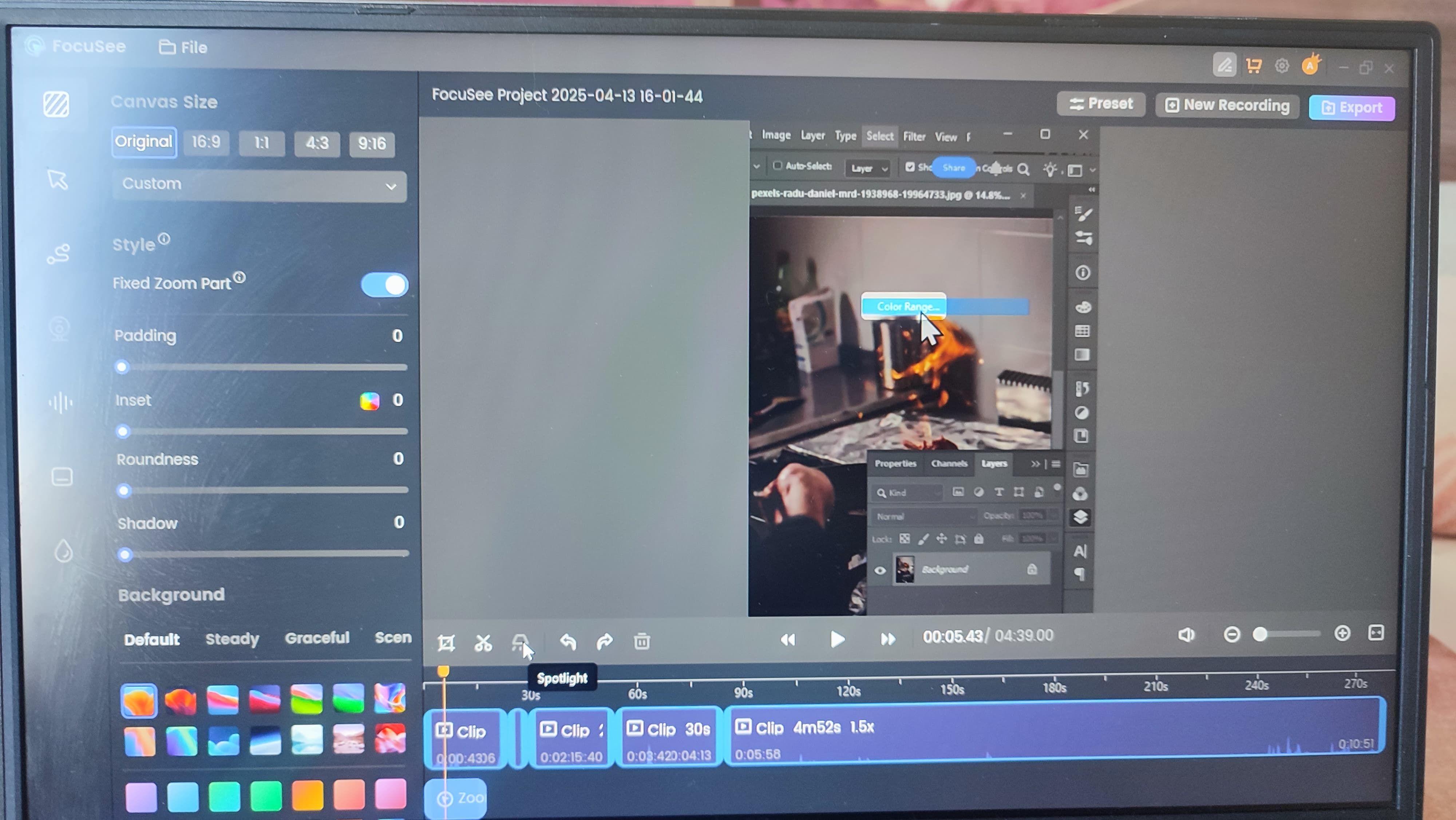
Rigid Screen Layout Inside the App Users should have more control over the internal layout. For example, the ability to resize the timeline area relative to the video preview, or rearrange interface sections to suit their workflow. This would greatly improve comfort and productivity.
Side Panel Flexibility I suggest adding an option to hide or show the side tools panel (on the left of the app). This simple feature would help users maximize their workspace when needed, especially on smaller screens.
Fixed Application Window Size It’s surprising that the overall application window can’t be resized on the desktop. This is a basic feature expected in any professional software, and its absence limits flexibility across different devices and screen setups.
These are essential fixes that I believe should take priority before adding further enhancements. Addressing them will drastically improve the user experience and make Focusee more efficient and professional.
Log in to comment and vote
Comments1
FocuSee Product Team
Apr 14, 2025
Dear FocuSee User,
Thank you for your feedback. Here are our responses to each of your points:
Regarding the issue of the “spotlight disappearing,” we will work on optimizing this in a future update. As for the timeline navigation bar disappearing when zoomed in, could you please describe the situation in more detail? This will help us accurately locate and resolve the issue.
We’ve received your suggestion for more flexible layout adjustments. Currently, the size proportions of each section in FocuSee are fixed, but we’ve tried to provide as much operational space as possible to meet various editing needs. Does the current layout significantly limit your editing workflow?
In the latest version, we’ve added a full-screen preview feature (which automatically collapses both the sidebar and the timeline). You’re welcome to download the latest version of FocuSee and give it a try: https://focusee.imobie.com/go/download.php?product=fs. Let us know if this meets your needs.
The current version of FocuSee supports resizing the window by dragging the edges and also supports full-screen mode, so you can switch freely based on your preferences.
Thank you again for your detailed feedback. We look forward to hearing more from you!
Best regards,
From Focusee Product Team